
Public Wi-Fi is incredibly convenient, but not every online activity is equally safe on these networks. Some things, like reading the news, are usually fine. Others, like banking or shopping, could expose you to hackers if you don’t take precautions. Knowing which activities are lower risk (and which ones aren’t) helps you decide when to connect freely and when to wait for a secure connection or use a VPN – which is why we have written the following guide.
Key Takeaways
- Simple browsing on HTTPS websites is relatively safe.
- Avoid sensitive logins, banking, or online shopping on open networks.
- For an essential layer of security, use Max Browser’s Privacy First VPN.
Table of Contents
Safe vs. Risky Activities on Public Wi-Fi
General Browsing and Web Searches: Safe
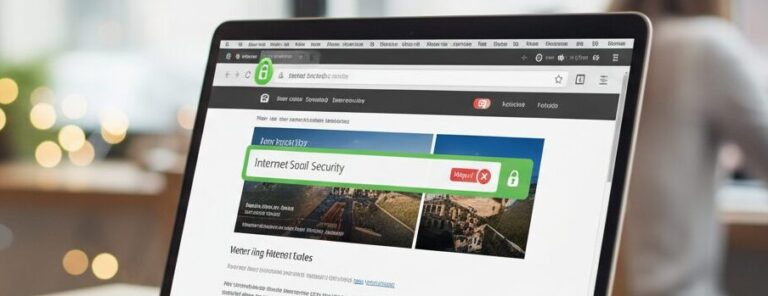
If you’re just reading articles, browsing Wikipedia, or searching for the latest news or a restaurant review, you’re usually okay; provided the websites use HTTPS (look for the padlock in the address bar). Modern search engines and most news or information sites encrypt data in transit. This means that although others on the Wi‑Fi might see that you visited, say, Google or a news site, they cannot see the exact search terms or articles you read on those encrypted sites.
Searching for information on public Wi‑Fi, in most cases, as long as you stay on reputable, encrypted sites. Try to avoid visiting a site that is not encrypted, but if you do, avoid entering any queries or info you wouldn’t want others to potentially see.
Checking Email or Social Media: Safe
Accessing webmail (like Gmail, Outlook.com) or social media accounts (Facebook, Twitter, etc.) is typically done over HTTPS, which makes it relatively safe even on public Wi‑Fi. The content of your emails or messages should be encrypted in transit.
However, there are still a few caveats. Be careful when visiting website login pages to ensure that they are legitimate (type the address or use official apps) to avoid falling for any phishing pages that a hacker might try to funnel you to on a compromised network. Additionally, if you use an email app or other client software, make sure it’s configured for SSL/TLS encryption for incoming and outgoing mail.
In short, checking your email or Facebook on public Wi‑Fi is okay if the connection is secure, but always double-check that padlock icon and don’t ignore browser warnings. If your email service or app doesn’t use encryption (most do nowadays), then it would not be safe to browse on public wifi.
Banking, Finances, and Other Sensitive Logins: Risky

This is where you should draw the line on public Wi‑Fi. Logging into your online banking or checking your credit card balance over public Wi‑Fi is strongly discouraged unless you have extra protection in place. Yes, reputable banking sites are HTTPS-encrypted, but the stakes are high: if a hacker somehow intercepts your session or you end up on a fake hotspot that tricks you into a false login page, your financial credentials could be stolen. In fact, something as seemingly innocuous as just checking your account balance on public Wi‑Fi can be enough for hackers to grab sensitive details like your login tokens or account info.
Cybersecurity experts repeatedly advise not to use public Wi‑Fi for any banking, financial transactions, or other highly sensitive activities (like accessing tax records, medical portals, etc.). If it’s urgent, use your cellular data or a VPN to add a layer of security. However, not all VPNs are equal. Many free services log your activity. Tools like Max Browser include a built-in VPN with a strict no-logs policy, ensuring your financial details aren’t tracked or sold.
Online Shopping and Entering Payment Info: Risky
Similar to banking, shopping online involves sensitive data (your credit card details, address, login credentials to sites like Amazon or eBay). If you’re on public Wi‑Fi, avoid entering credit card numbers or personal info on websites unless you’re sure the connection is secure. While many big e-commerce sites enforce HTTPS, you don’t want to risk exposing your payment info if the network has been compromised. It’s better to hold off on purchases until you’re on a secure network or use a cellular connection. At the very least, never input payment details on a site that does not have HTTPS encryption. That would be like sending a postcard with your credit card written on it for anyone to read.
Free VPNs often collect browsing data, including details of your online shopping. Unlike those, Max Browser doesn’t record any of your shopping activity, giving you private protection on public Wi-Fi. So whether you save your shopping for your home wifi or use a quality VPN, always ensure your details are safe while online shopping.
Downloading Apps or Attachments: Risky
Downloading files or apps over public Wi‑Fi carries some risk as well. If possible, wait to download sensitive documents on a secure network. Hackers can intercept unencrypted downloads or even tamper with them in transit on a rogue network.
Additionally, public networks are a common place for malware distribution; an attacker could trick users into downloading a fake “software update” that’s actually malware. So, avoid downloading or installing software while on public Wi‑Fi, unless you’re downloading via HTTPS or using a VPN.
Running unknown programs: Risky
Free Wi‑Fi can sometimes be a lure; for instance, a pop-up might tell you, “Your software is out of date, click here to update,” which is actually malware in disguise. Be very wary of downloading executables or agreeing to install something while on a public internet. Save downloads for later or verify them through official app stores. Similarly, avoid using file-sharing programs on public Wi‑Fi, as they can expose your device or data to peers.
Avoid using the same passwords or no authentication: Risky
While this is more of a general practice, the importance of password safety doubles on public Wi‑Fi. If you reuse passwords and one gets intercepted on public Wi‑Fi (or if someone sees you typing it), they could try it elsewhere. Use a password manager if needed to keep unique passwords, or enable 2FA on important accounts to foil any unauthorised access attempts. And of course, never leave your device unattended in a public place while connected – an opportunistic person could physically access it or plug in a malware-laden USB.
Treat Public Wi-Fi With Care
Essentially, public Wi‑Fi should be treated as a convenience for low-risk tasks. Anything involving financial or personal information should wait until you’re on a secure connection. When you do need to log in or transfer data over public Wi‑Fi, a trusted VPN helps keep your information private. Max Browser offers an integrated VPN with a monthly 10 GB allowance and server options worldwide, so you can shield your activity without installing a separate app or browser extension. Our built‑in ad and tracker blocking speeds up browsing and cuts down on data leakage, while a no‑logs policy ensures your sessions stay private.
Explore more: Practical Safe Practices for Using Public Wi‑Fi to protect yourself.